
Work order program for a digital workflow
ServiceLeaf is a cloud-based work order program: create, assign, complete and archive jobs in one system. Use it on a computer or mobile browser without installing software. See real product screenshots before choosing.
14 days free · No installation · No credit card · Move over gradually alongside paper
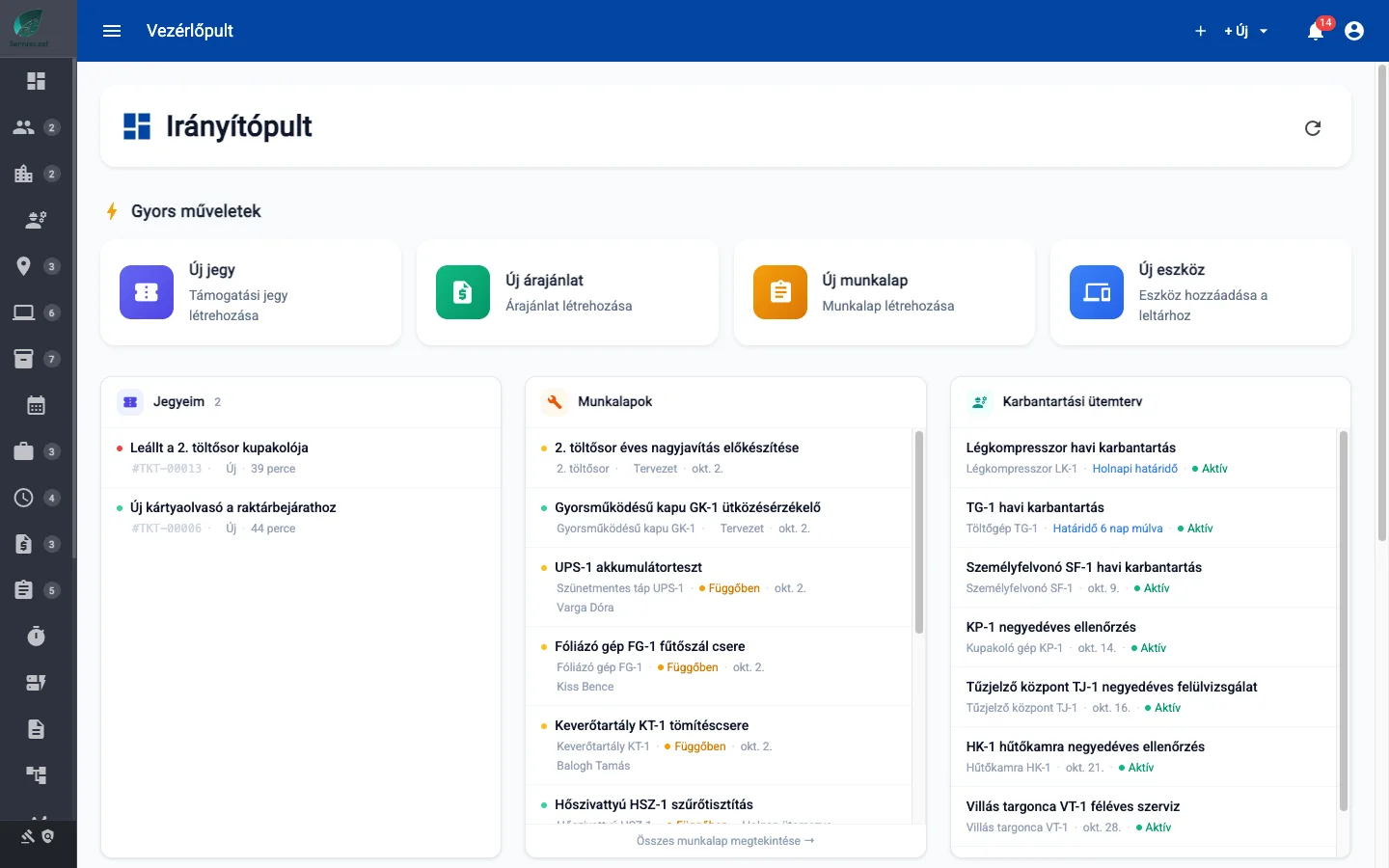
Explore the ServiceLeaf work order program
Real screenshots from the application
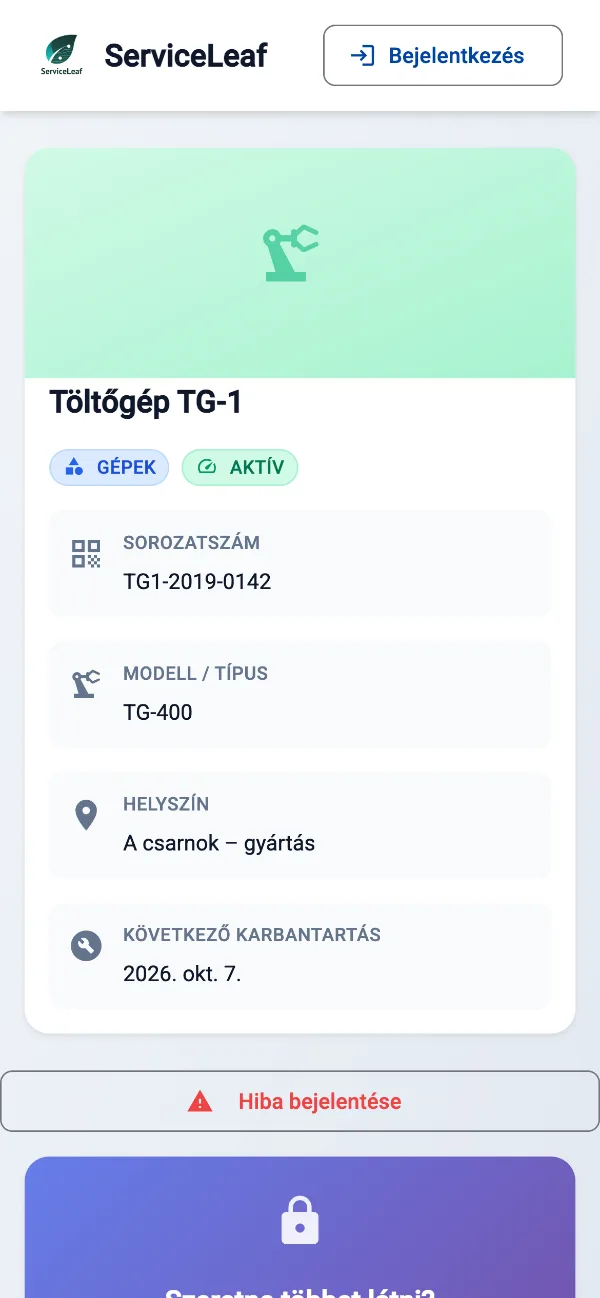
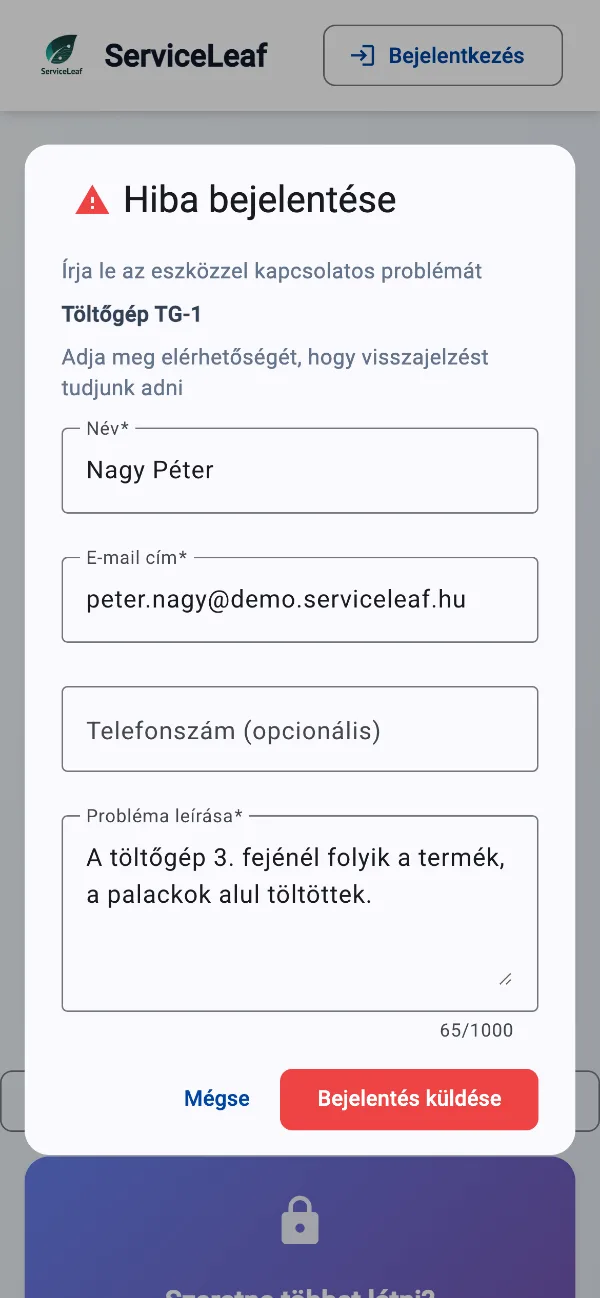
On mobile, on site
Technicians use the same work order program in a mobile browser and receive in-app and email notifications. Scan an asset QR label with a phone camera to open its page and report an issue.
What should a good work order program offer?
Eight capabilities to consider when choosing your system
Complete jobs on site
Technicians complete work orders in a mobile browser without a separate installation.
Assignments and notifications
Assignees receive in-app and email notifications; due maintenance creates work orders automatically.
Photos, signatures and documents
Attach photos, documents and comments, then collect the customer’s electronic signature.
Searchable digital archive
Find completed work orders by date, asset, employee or status.
Reports without manual totals
Review work time, costs and work order reports without rebuilding a spreadsheet each month.
Templates and recurring jobs
Create your own work order templates and schedules for recurring tasks.
Permissions and change history
Use role-based access, asset, issue and work order history, and export permission and activity reports.
Email support
Email support is included in every plan, with a response within one working day on business days.
Installed or cloud-based work order program?
Why ServiceLeaf requires no local download or installation
| Installed work order program | Cloud-based — ServiceLeaf | |
|---|---|---|
| Installation | Local installation and updates are required | Open ServiceLeaf in your browser |
| Access | Access depends on the installation and network setup | Use it in the office, on a phone or on site |
| Mobile use | Depends on the installed software | Mobile and tablet browsers, without installation |
| Data | Depends on your local server or computer setup | Centrally managed customer data stored on EU servers |
| Updates | Updates may require local installation | Service updates are applied centrally |
| Cost | Depends on the licence and maintenance contract | Plans from EUR 29/month, excluding VAT |
The work order program in daily use
A typical day in ServiceLeaf, from morning assignments to completed records
Morning — assign the day’s jobs
Dispatchers assign work orders and team members see their tasks on their phones.
During the day — work on site
Technicians record materials and photos; customers sign work orders electronically.
End of day — close and review
Completed work orders are searchable, included in reports and can be emailed to customers as PDFs.
How much does the work order program cost?
The Starter plan starts at EUR 29/month, excluding VAT. Every feature is included; plans differ in user and asset capacity.
Frequently asked questions about the work order program
What to clarify before choosing
How do I choose the best work order program?
Look for a system your team can use on site, with assignments, notifications, searchable records and support. ServiceLeaf brings these together in a cloud-based program.
Do I need to download or install it?
No. ServiceLeaf runs in desktop, phone and tablet browsers. An optional mobile installation is available, but it is not required.
Is there a free work order program?
Try every feature free for 14 days without a credit card. If you only need a printable form, request the free PDF work order template through the download form.
Does it work on Windows and mobile?
Use ServiceLeaf in a browser on Windows, macOS, Android and iOS. The program works online; quick work order drafts are saved locally.
How much does it cost?
The Starter plan starts at EUR 29/month, excluding VAT. Every feature is included in every plan; plans differ in user and asset capacity. Try it free for 14 days without a credit card.
How long does implementation take?
Rollout time depends on data volume, configuration and team size. Import up to 500 assets per Excel file, including parent–child hierarchies, and create your own templates. Start gradually alongside paper records.
Try the work order program free for 14 days
Open it in your browser and create your first work order today
14 days free · €0 · no credit card · free plan for up to 25 assets afterwards