
CMMS system that gives you a clear view of maintenance
See who is working on each job, when equipment was last serviced and how much maintenance costs per asset. ServiceLeaf brings these records together in a cloud-based system with mobile browser access and email support.
14 days free · No credit card · Free plan for up to 25 assets afterwards · Email support within one working day
Why use a CMMS system?
Bring scattered work orders, asset records and maintenance schedules together.
Scattered maintenance records
Work orders on paper, asset records in spreadsheets and faults in email make equipment history hard to reconstruct.
Reactive maintenance
Without planned preventive work, faults may only become visible when equipment stops.
Limited visibility
Finding who is doing a task or when a compressor was last serviced can require several phone calls.
Difficult performance measurement
Downtime, average repair time and cost per asset need connected records to be useful.
What does ServiceLeaf CMMS software offer?
A complete set of maintenance management modules in one platform
Central asset register
Keep equipment, QR identifiers, maintenance history, warranty details and documents together.
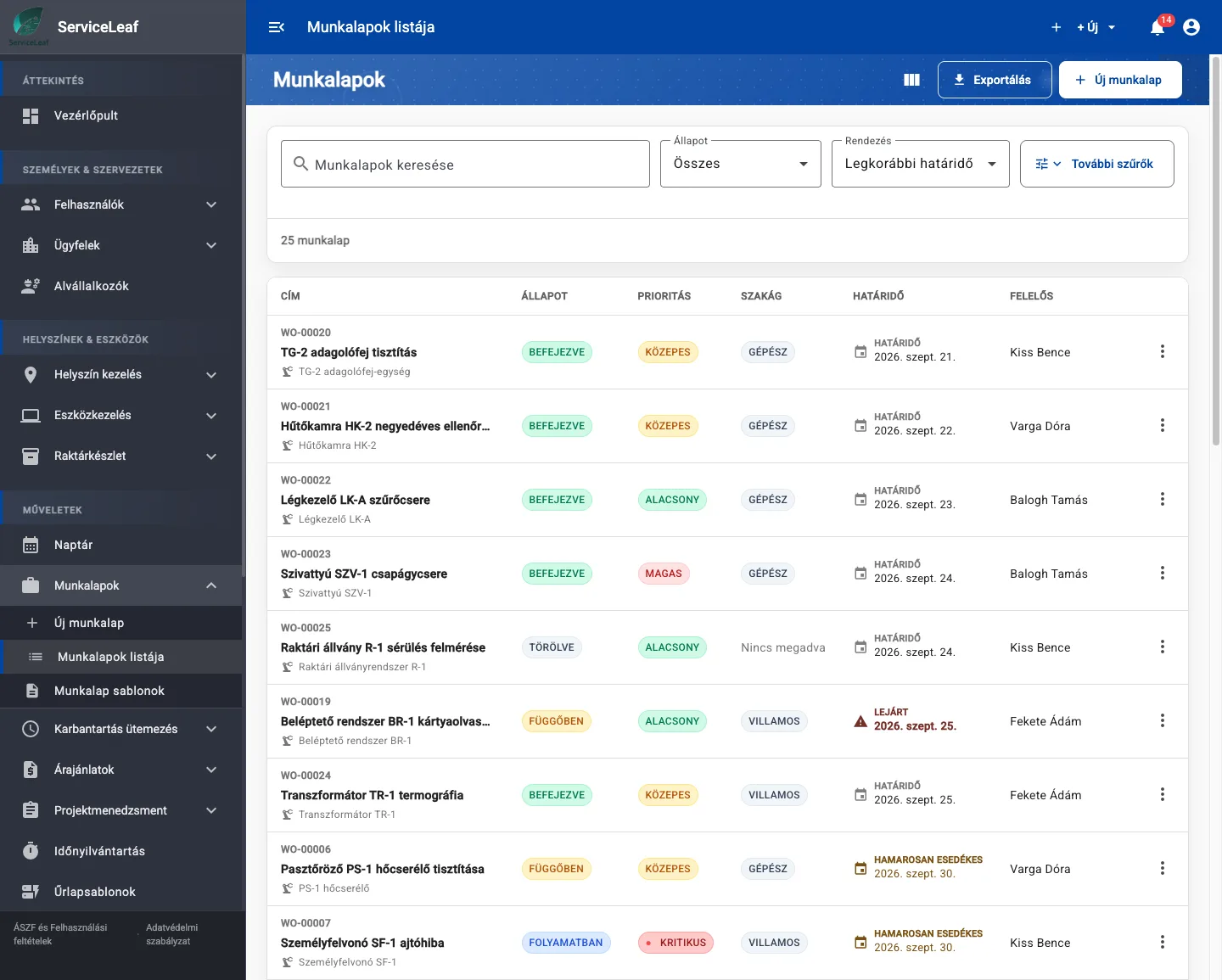
Digital work order management
Create work orders from templates or faults, assign owners, complete jobs in a mobile browser and collect photos and electronic signatures.
Preventive maintenance scheduling
Set time-based or operating-hour-based schedules. The system generates work orders and reminds the team about upcoming maintenance.
Issue reporting
Report faults from asset QR labels without signing in, or through the web interface, then turn reports into work orders.
Reports and maintenance KPIs
Review average repair time, planned and unplanned downtime by cause, and reports for issues, work orders, assets, maintenance and time, with exports.
Traceable documentation
Review asset, issue and work order change history and export permission and activity reports to support audit preparation.
See the maintenance management system in action
Real screenshots from the ServiceLeaf application
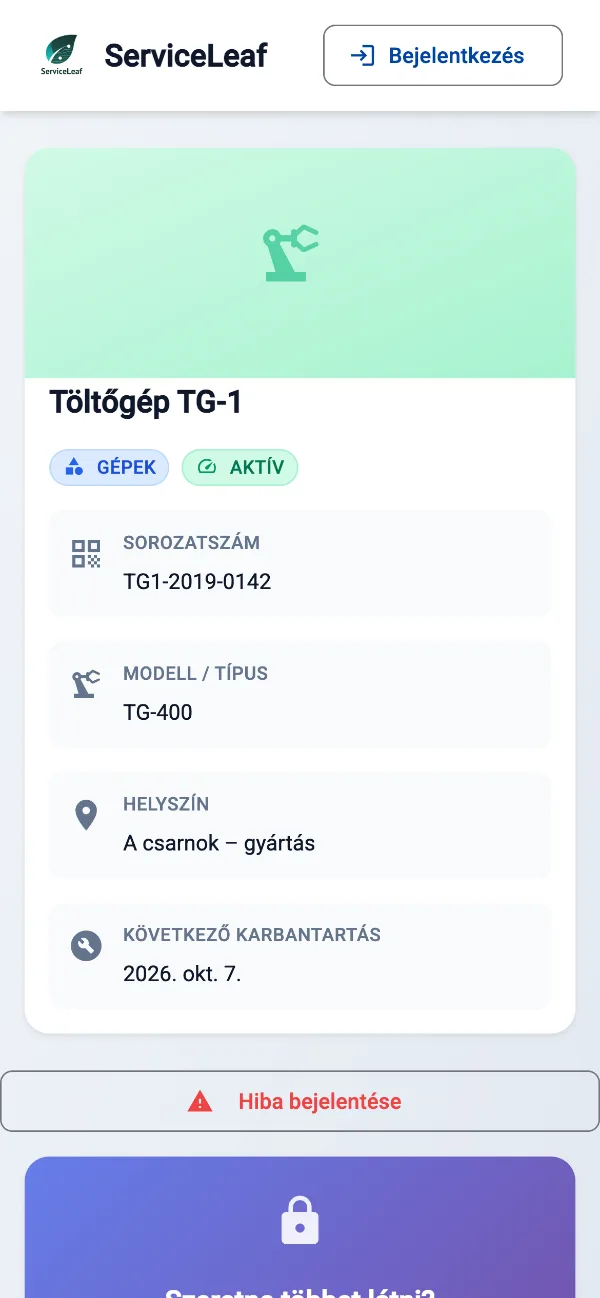
Work on site from a mobile browser
View work orders, record materials, attach photos and documents, and collect the customer’s on-screen signature.
- In-app and email notifications
- Photos and signatures from the job site
- Start and finish work with one action
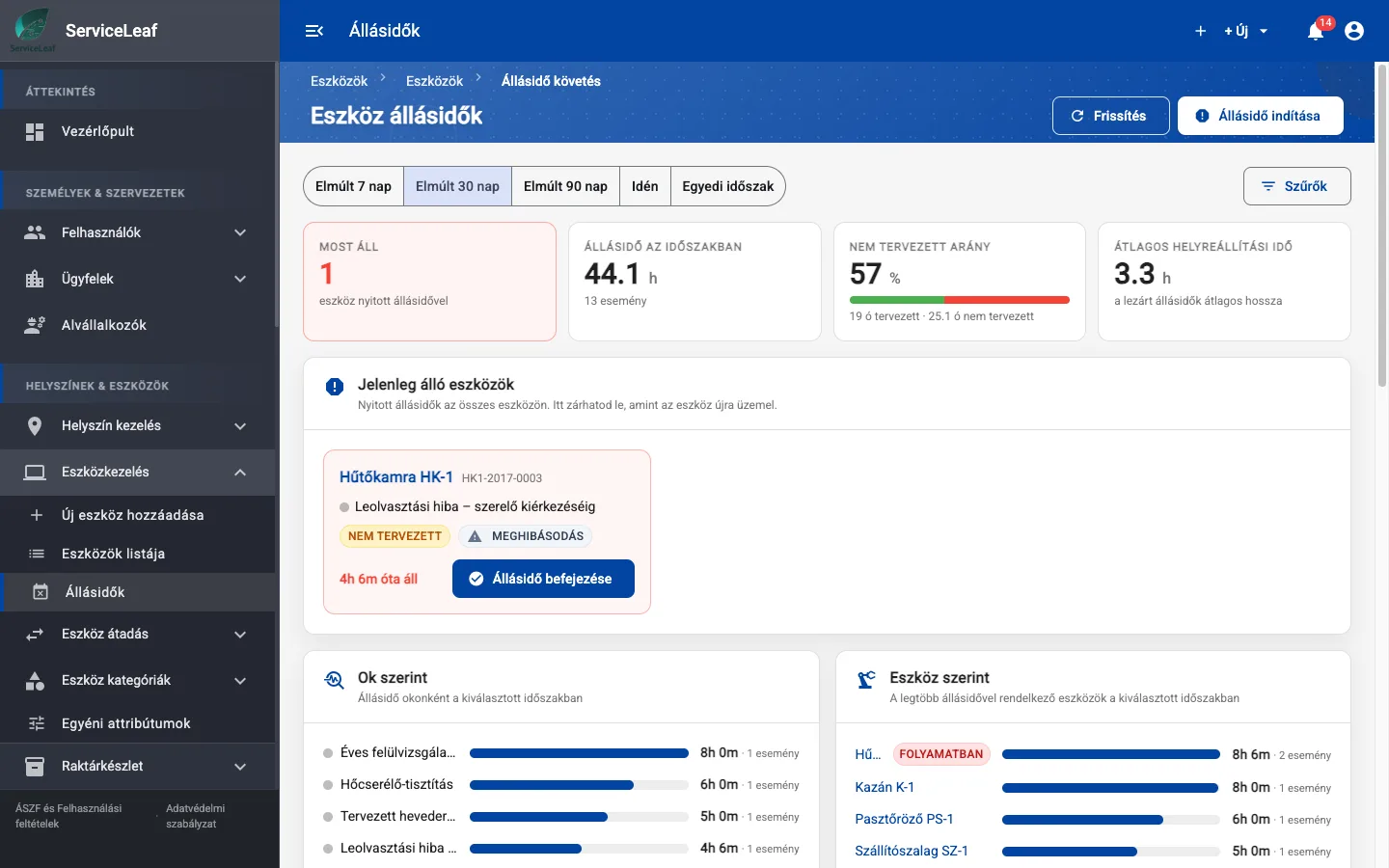
Maintenance reports in one place
Review issue and SLA reports, work orders, assets, maintenance and time. Break down planned and unplanned downtime to understand equipment performance.
- Downtime by cause and average repair time
- Cost tracking per asset
- PDF, Excel and CSV exports
Already used in production — real maintenance records
How to introduce a maintenance management system
Three steps from reactive maintenance to planned, data-informed work
Map your assets
Import up to 500 assets per Excel file, including parent–child hierarchies, or use asset templates. Each asset has a QR identifier.
Plan maintenance and work orders
Configure preventive maintenance schedules so the system generates work orders and assigns the responsible team members.
Measure and improve
Use completed work orders and KPIs to review maintenance performance and identify where to improve planning.
Who is the CMMS system for?
For teams maintaining machinery, equipment and facilities
Manufacturing
Plan preventive maintenance for CNC machines, production lines and compressors.
Facility management
Manage HVAC, lifts, generators and fire protection across buildings and subcontractors.
Food and light manufacturing
Keep maintenance logs to support HACCP documentation and plan work for cooling, packaging and sterilisation equipment.
How much does the CMMS system cost?
The Starter plan starts at EUR 29/month, excluding VAT. Every plan includes every feature; plans differ in user and asset capacity.
Frequently asked questions about CMMS systems
What to know before introducing maintenance management software
What is a CMMS system?
CMMS means Computerized Maintenance Management System. It brings asset records, work orders, preventive maintenance, issue reporting and reports into one software platform.
How does CMMS differ from a work order program?
A work order program manages task assignment and documentation. CMMS also connects those jobs to assets, preventive schedules and maintenance measures such as downtime and cost.
How much does CMMS software cost?
The Starter plan starts at EUR 29/month, excluding VAT. Every feature is included in every plan; plans differ in user and asset capacity. Try it free for 14 days without a credit card.
How long does implementation take?
Rollout time depends on data volume, configuration and team size. Import up to 500 assets per Excel file, including parent–child hierarchies, and create your own templates. Start gradually alongside paper records. Inventory items can also be imported using the provided Excel template; invalid rows prevent an import from saving.
Is ServiceLeaf cloud-based?
Yes. Use it in a desktop or mobile browser without running your own server. Customer data is stored on EU servers; the DPA lists subprocessors and safeguards. Role-based access and TOTP two-factor sign-in protect access.
Does CMMS support preventive maintenance?
Yes. Configure time-based or operating-hour-based schedules to generate and assign work orders automatically and receive reminders before work is due.
Understand your downtime — start today
Try it free for 14 days, without a credit card. Add your first assets and start bringing maintenance into view.
14 days free · €0 · no credit card · free plan for up to 25 assets afterwards