
Equipment downtime tracking: see what is stopped and why
Start a downtime record with one action and review causes, assets and previous records.
14 days free · €0 · no credit card · free plan for up to 25 assets afterwards
Sound familiar?
- You do not know exactly which machines are currently stopped
- Stops are recorded in notebooks or spreadsheets, if at all
- The share of unplanned downtime is unclear
- There is no consistent record of restoration time
How ServiceLeaf helps
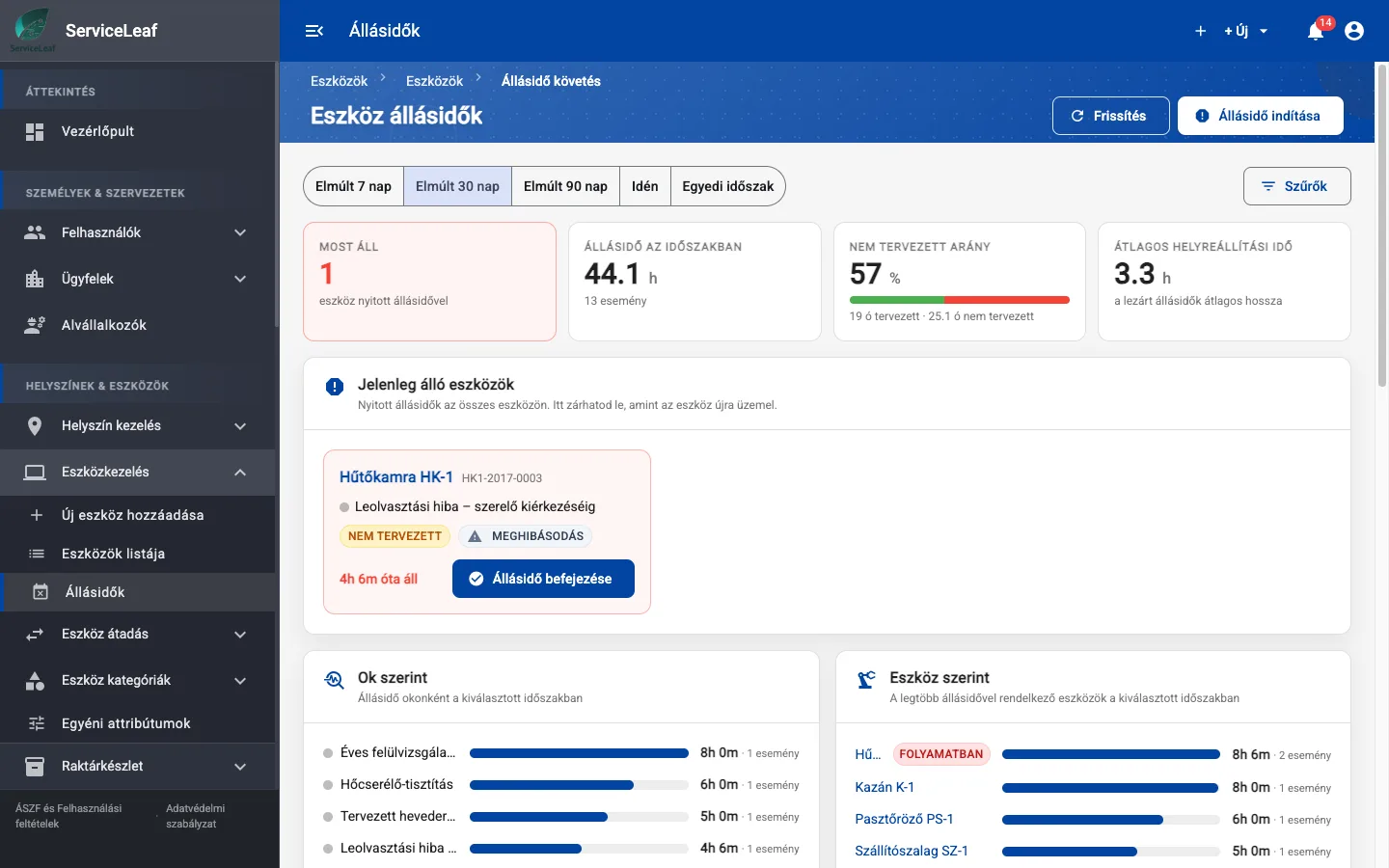
- A panel showing currently stopped equipment
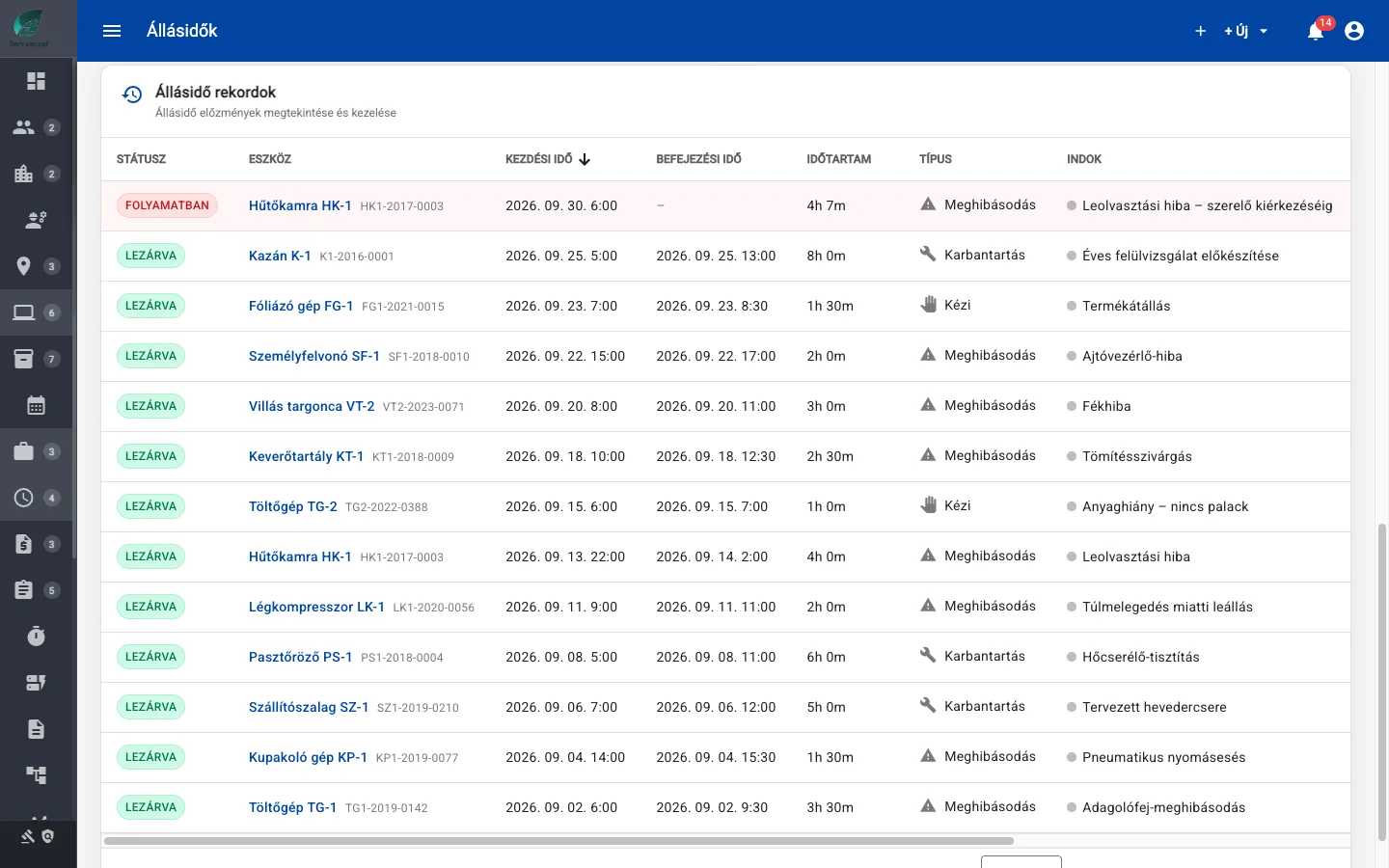
- Planned and unplanned downtime by cause and asset
- Mean restoration time for the selected period
- Start and end downtime records with one action
See it in ServiceLeaf
What can it do?
Four indicators
See Currently Down, Downtime in Period, Unplanned Share and Mean Restoration Time on the Downtime page.
Currently stopped assets
End a restored machine’s downtime with one action from the active-assets panel.
Analysis by cause and asset
Review cause and asset breakdowns and a history table. Filter by asset, type, cause and planned or unplanned downtime.
Period selection
Choose the last 7, 30 or 90 days, this year or a custom period.
Record from the asset
Record downtime manually from the central page or the asset’s Downtime Tracking card.
Detailed reports and exports
Open Reports → Asset Analytics → Downtime Analysis for further analysis and export.
Read more on the blog: MTTR: what mean restoration time measures and how to calculate it
current stops, downtime, unplanned share and mean restoration time
Related features
Asset Management
Keep every machine, piece of equipment and part in one place, with its history, warranty and documents.
Preventive Maintenance
Schedule recurring maintenance automatically, before a machine breakdown interrupts work.
Reports and Analytics
See maintenance costs, recurring faults and opportunities to improve, using recorded data.
Ready to digitise your maintenance?
Try it free for 14 days, or book a live demo.
14 days free · €0 · no credit card · free plan for up to 25 assets afterwards