
Maintenance calendar and technician scheduling with drag and drop
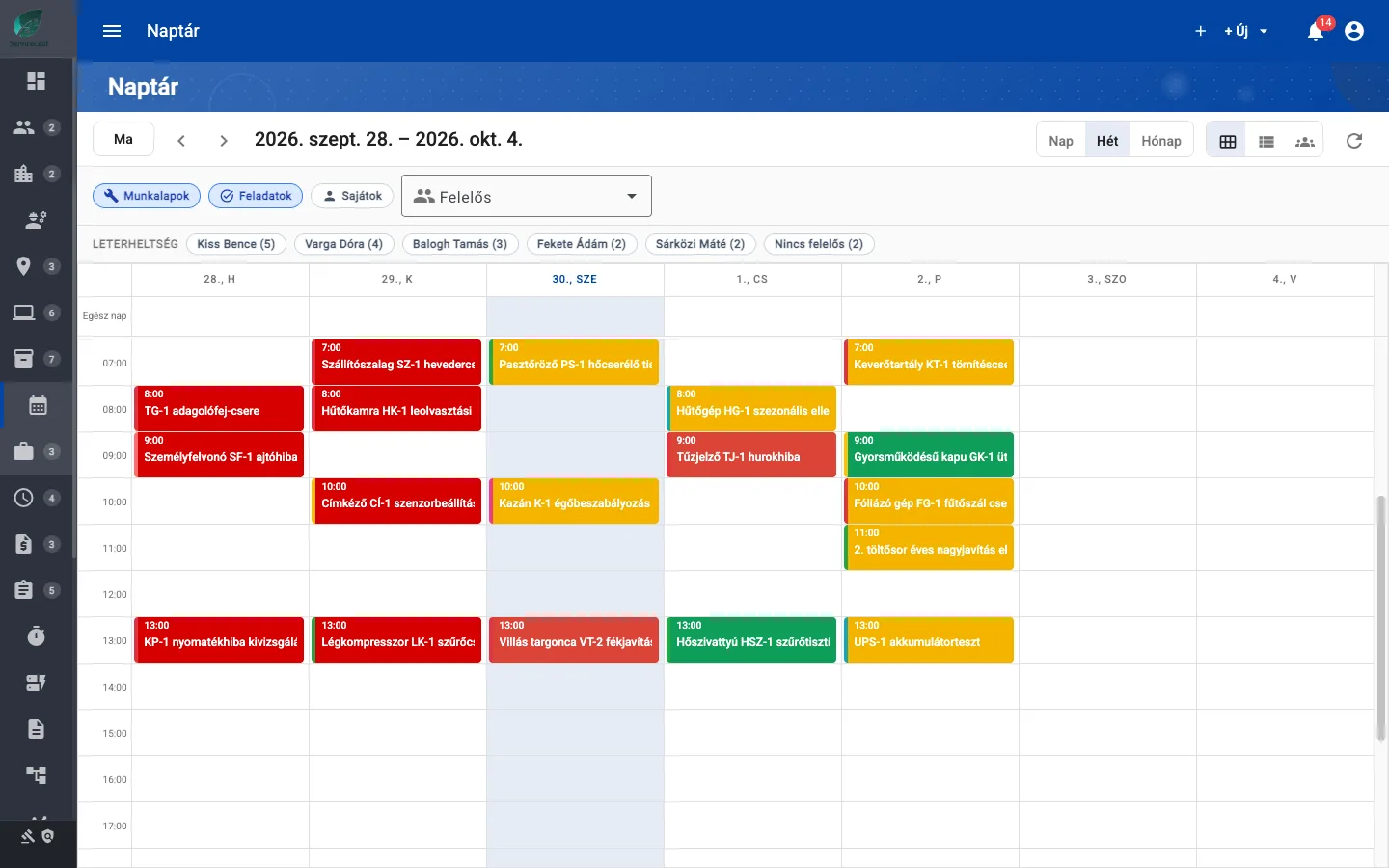
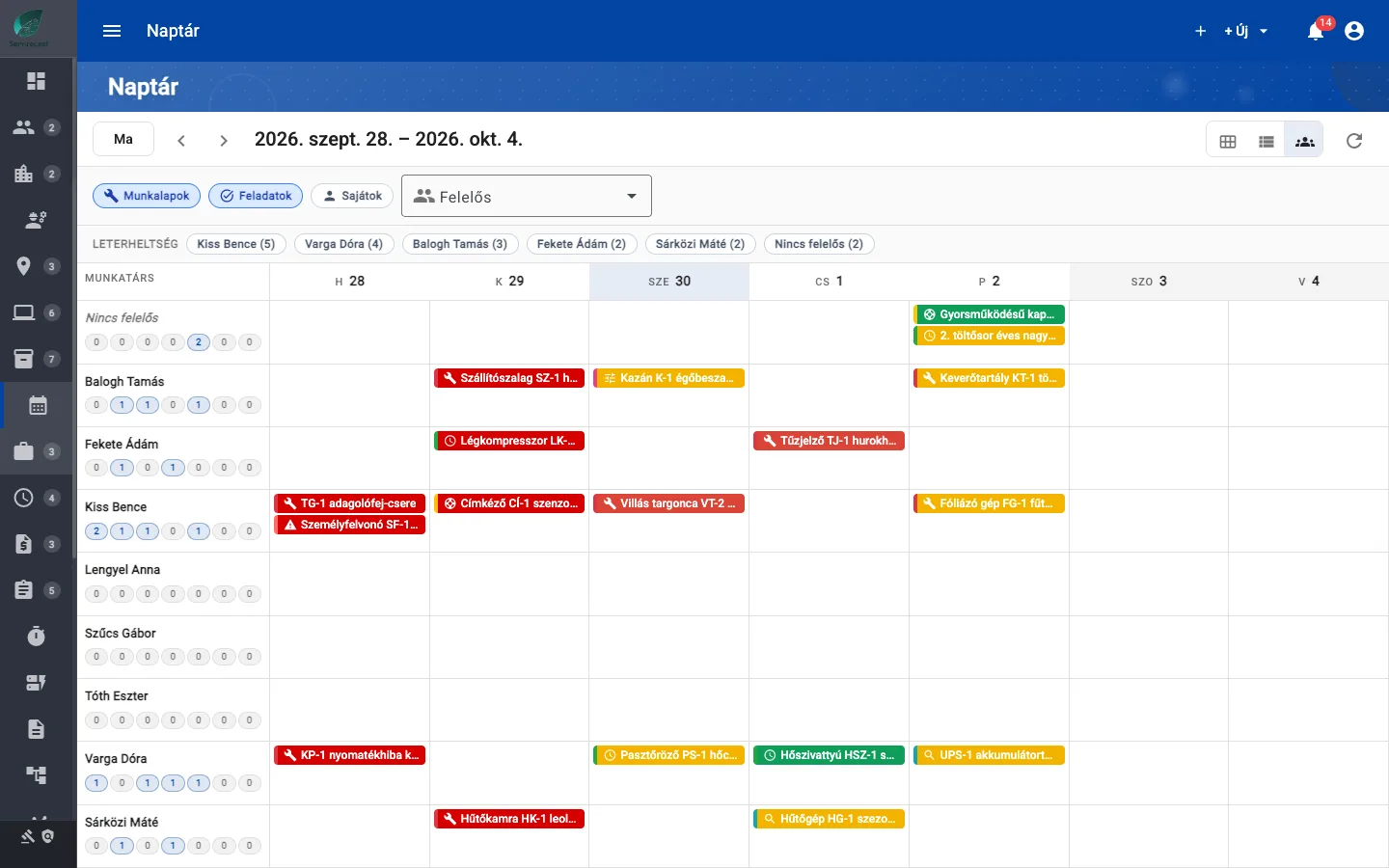
Daily, weekly and monthly views, workload by person and job handovers on the Team Week board.
14 days free · €0 · no credit card · free plan for up to 25 assets afterwards
Sound familiar?
- Work orders and tasks are kept in separate lists
- There is no shared view of who is doing what and when
- Rescheduling requires calls and spreadsheet updates
- It is difficult to see overloaded colleagues
How ServiceLeaf helps
- One calendar for work orders, generated maintenance jobs and project tasks
- Drag jobs to reschedule them in month and week views
- See job counts for each person
- A Team Week board with a lane per colleague for rescheduling and handovers
See it in ServiceLeaf
What can it do?
Day, week and month
Open Calendar for daily, weekly or monthly grid and list views, with work order, task and personal filters.
Awaiting scheduling
Work orders with a deadline but no scheduled date appear on the due date marked Awaiting Scheduling. Overdue work is highlighted.
Drag-and-drop rescheduling
Move a job to another day in month or week view, or use menu actions to reschedule, reassign or change status.
Workload
See each person’s job count for the loaded period, including unassigned jobs. Click a name to filter.
Team Week board
A dispatch board with one lane per colleague. Drag to reschedule, reassign or both. Available to administrators and managers on desktop screens.
day, week and month
Related features
Work Order Management
Create, assign and track maintenance tasks in one place. Keep responsibilities, progress and deadlines visible.
Preventive Maintenance
Schedule recurring maintenance automatically, before a machine breakdown interrupts work.
Subcontractors
Assign work orders or tickets to partner companies. Partners work with prices hidden in Service Provider business mode.
Ready to digitise your maintenance?
Try it free for 14 days, or book a live demo.
14 days free · €0 · no credit card · free plan for up to 25 assets afterwards